Syon接入 OpenCode

OpenCode 是一个开源 AI 编程助手,提供终端、网页等运行形式。

一、接入 Syon

如果你已经安装了 OpenCode Desktop,按以下步骤添加 Syon:
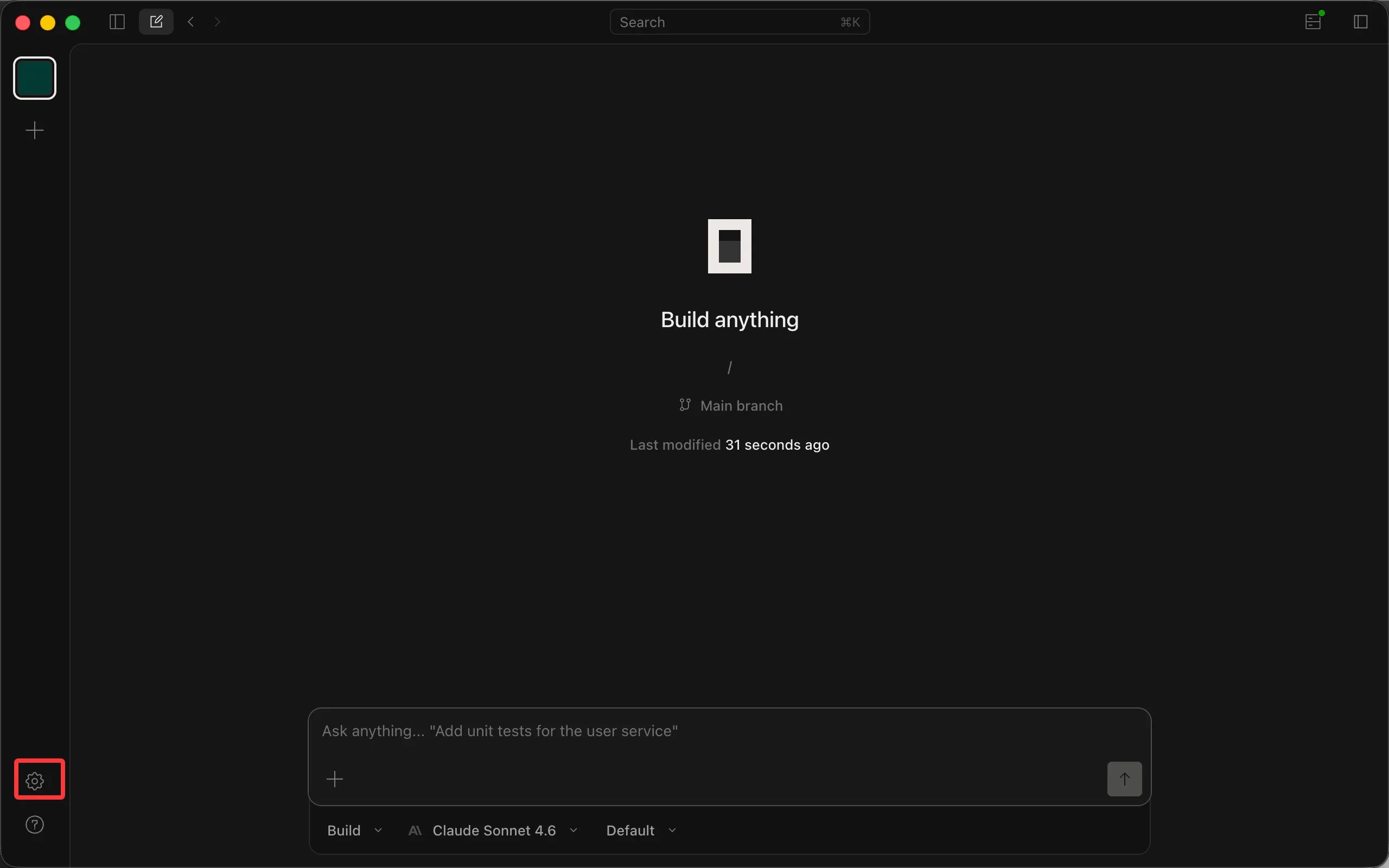
  • 打开 OpenCode Desktop,点击左下角齿轮 ⚙ 图标进入设置。
  • 在左侧导航选择 「服务器」→「提供商」。
  • 在右侧提供商列表底部找到 「自定义提供商」(带「自定义」标签,说明文案为「通过基础 URL 添加与 OpenAI 兼容的提供商。」),点击右侧 「+ 连接」 按钮。
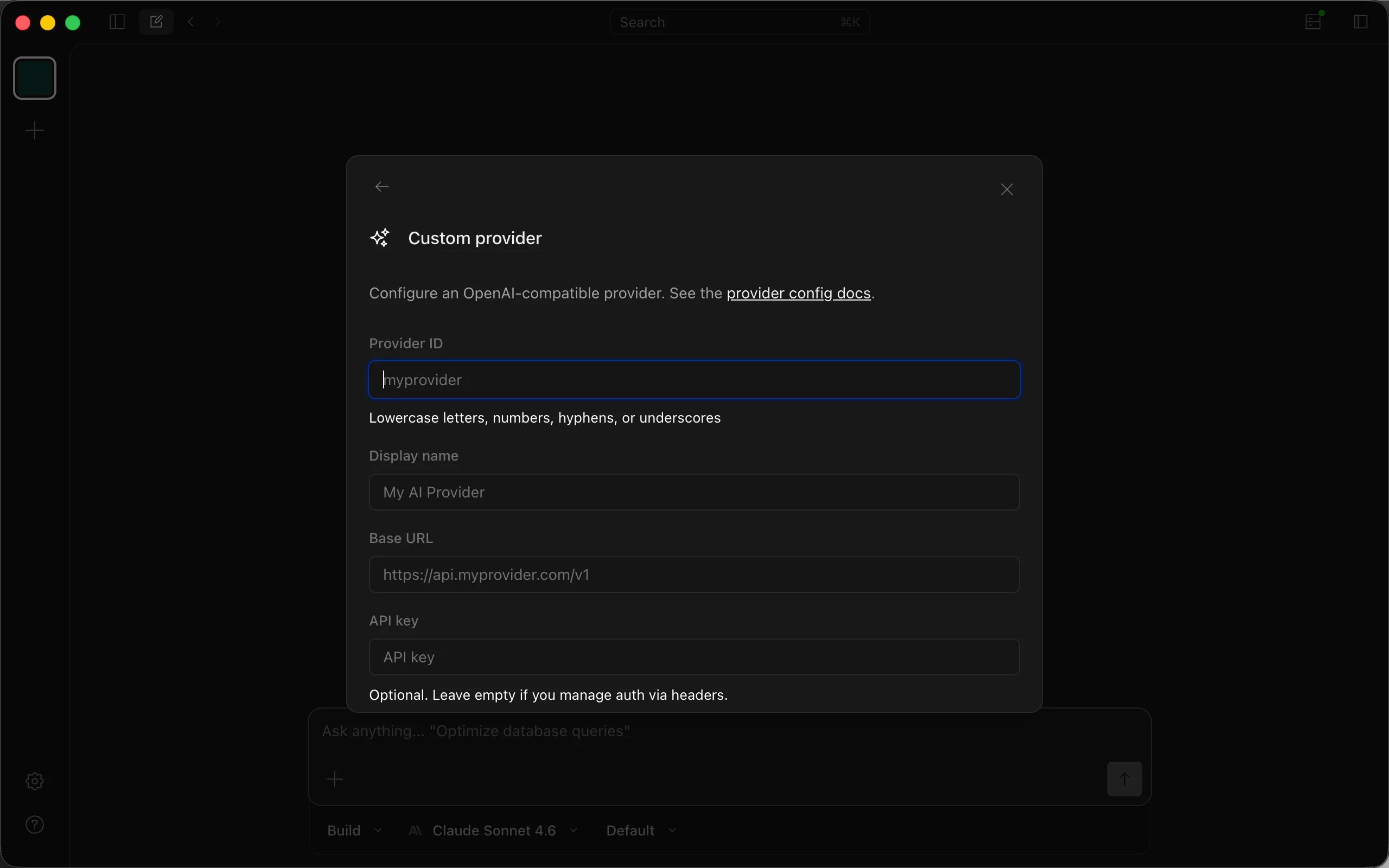
在「自定义提供商」表单中填入: 「提供商 ID」:syon
  • 「显示名称」:Syon
  • 「基础 URL」:https://api.syon.ai/v1
  • 「API 密钥」:粘贴你在 Syon 控制台 创建的 key
在「模型」字段点击 「+ 添加模型」 添加要使用的模型,按需填入 model id 与显示名称: | Model ID |模型名称 |gpt-6-astra |GPT 6 Astra | |gpt-5.6-sol |GPT 5.6 sol | |gpt-5.6-terra |GPT 5.6 terra | |gpt-5.6-luna |GPT 5.6 luna | |claude-fable-5-1 |Claude fable 5.1 | |claude-fable-5 |Claude fable 5 | |claude-sonnet-5 |Claude sonnet 5 | |claude-opus-4-8 |Claude opus 4.8 | |claude-opus-4-7 |Claude opus 4.7 | |claude-opus-4-6 |Claude opus 4.6 | |claude-sonnet-4-6 |Claude sonnet 4.6 | |claude-haiku-4-5 |Claude haiku 4.5 | |gpt-5.5 |GPT 5.5 | |gpt-5.4 |GPT 5.4 | |gemini-3.1-pro-preview |Gemini 3.1 pro(preview) | |gemini-3.1-flash-lite-preview |Gemini 3.1 flash | |deepseek-flash |DeepSeek V4.1 Flash | |deepseek-v4-pro |DeepSeek v4 pro | |deepseek-v4-flash |DeepSeek v4 flash | |deepseek-v4-flash-free |DeepSeek V4 Flash 福利版 | |glm-5.3-flash |GLM 5.3 Flash | |glm-5.3 |GLM 5.3 | |glm-5.2 |GLM 5.2 | |grok-4.6 |Grok 4.6 |
  • 「请求头(可选)」无需填写。
  • 点击底部 「提交」 按钮保存。
注意:受OpenCode客户端自身限制,自定义提供商仅支持 OpenAI 协议,会导致 Claude 系列的模型调用会出现 cache 丢失、调用失败等问题,造成不必要的金额损耗。因此不建议在OpenCode内使用 Claude 系列模型,如有 Claude 系列模型使用需要,建议使用 Claude 客户端。

二、从零安装 OpenCode

下载与安装

前往官方下载页面安装或升级:OpenCode 下载

运行与配置

  • 执行 opencode 命令

添加 Syon 提供商

打开 OpenCode Desktop,按上一节的步骤 1–7 完成配置。

设置模型

在设置页左侧导航选择「服务器 → 模型」,将默认聊天模型切换为 Syon 下的模型。之后所有新会话都会默认使用该模型。

开始使用

回到 OpenCode Desktop 主界面新建对话,即可开始对话。 准备好了?三步即可开始登录控制台 · 购买额度 · 创建 API Key 获取 API Key查看定价 微信扫码加入交流群遇到问题?微信扫码加入交流群 上一篇OpenClaw下一篇Gemini CLI